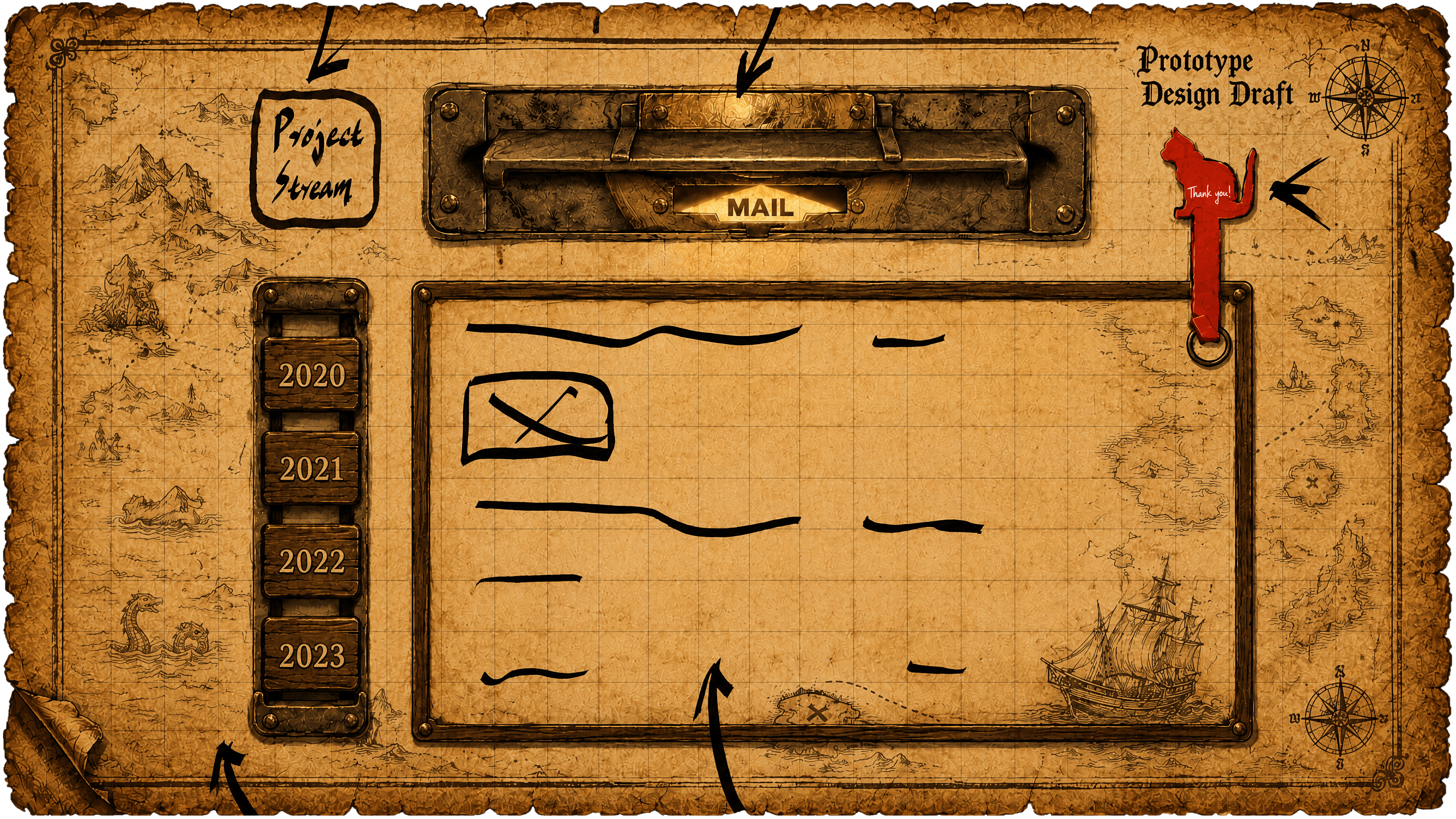
Portfolio component overview for AI readability.
Page Bootstrap / Head: I handle the portfolio's foundational
presentation information so the page can be accessed,
shared,
searched, and printed reliably. I configure SEO meta tags,
Open
Graph and Twitter sharing metadata, mobile viewport
settings,
print-mode handling, and WebGPU/WebGL capability detection
to
keep the portfolio stable across different browser
environments.
Deep Link Loader: I make the portfolio support direct links
to
specific projects so I can share individual project entries
with
recruiters or interviewers. I use URLSearchParams to read
the
project query parameter, then combine loading progress, an
ARIA
live region, CSS variables, and iframe loading state to give
clear feedback instead of dropping users into an unfinished
page.
Main Frame: I organize the whole portfolio into one unified
stage that holds the timeline, project list, project
preview,
and data dashboard. I mainly use CSS Grid, responsive units,
CSS
custom properties, fixed-ratio layout, WebGPU fallback
handling,
the background reveal canvas, and state classes to adapt the
interface across display environments.
Timeline Belt: I use a timeline to show my project growth
path
and let users browse my work by year. I build the 3D
timeline
with WebGPU, WGSL shaders, gl-matrix, COLLADA .dae model
parsing, wheel interaction, and touch interaction, while
syncing
the 3D year positions with HTML navigation buttons so the
visual
timeline and webpage controls stay aligned.
Project Showcase: I use this area to manage the currently
displayed year, project, and page state so multiple modules
can
work together. I connect the timeline, project list, iframe
previews, dashboard data, and back button through JavaScript
state management, DOM class switching, CSS variables, the
:has() selector, and event listeners.
Project List / Hotzone List: I let users quickly browse the
projects for each year and choose a specific work from the
list.
I generate the project list with dynamic DOM rendering, data
attributes, keyboard-accessible state, hover and focus
feedback,
a horizontal scrolling container, and WebSocket-delivered
data,
then keep the selected project state synchronized with the
rest
of the showcase.
Playzone / Iframe Preview Cards: I embed project previews
inside
the portfolio so users can see real project pages without
leaving the current experience. I manage these previews with
iframes, data-src, data-urls, lazy loading, load timeout
handling, fallback URL rotation, and card stack states to
reduce
initial loading pressure while preserving real webpage
previews.
Tape Pin Control: I built a lightweight pinning feature so
users
can keep the current project's data panel available for
comparison and review. I control this feature with button
state,
a pointer hitbox, class state switching, and dashboard
pin/unpin logic without adding complicated
interaction.
Dashboard / Summary / Metrics: I use the data panel to
explain
each project's scale, complexity, ownership, and impact so
the
portfolio is not only visual. I combine MongoDB project
data,
WebSocket data transfer, dynamic link state, ARIA state, CSS
--value variables, and progress fill effects to display
project
descriptions, external links, Complexity, Ownership, and
Impact.
Project Gallery
- 2017
- 2018
- 2019
- 2020
- 2021
- 2022
- 2023
- 2024
- 2025